TimeCharm 0.6.0: a new design and "No customer" filters
Version 0.6.0 gives every screen a new look: the board, reports, archive, task editor, profile and settings. Each section now shares one header, and things are easier to find.
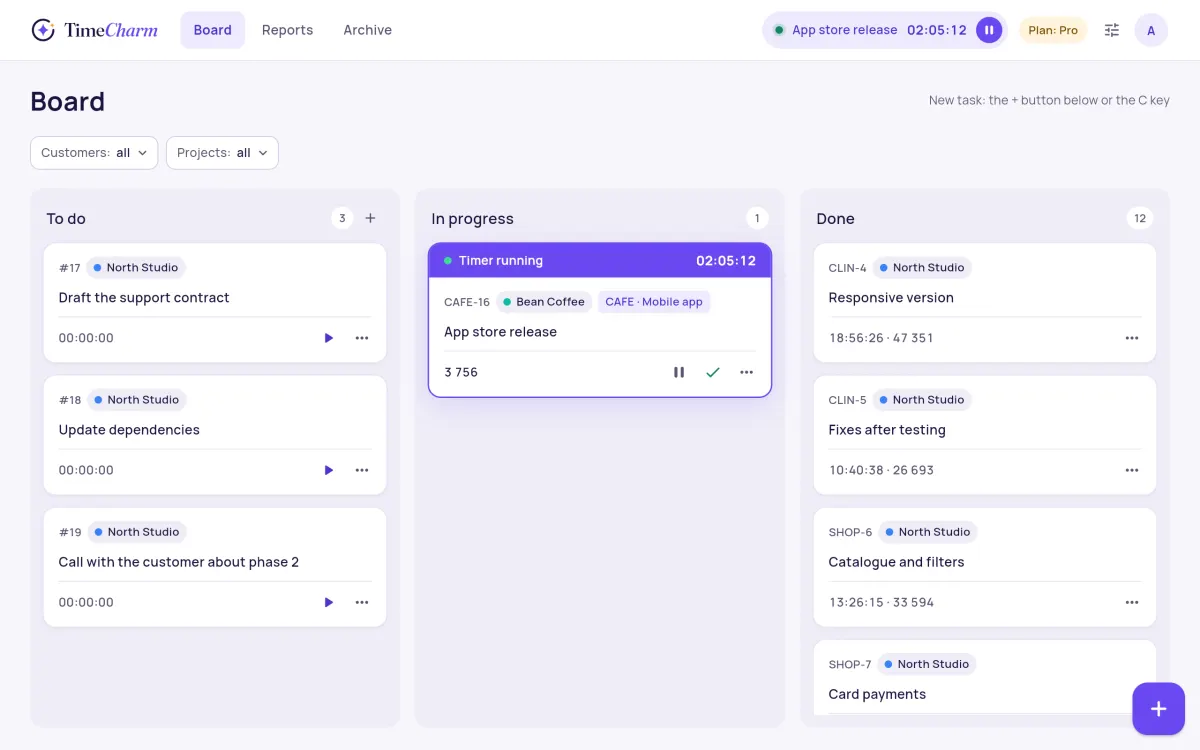
Filters that find loose tasks
Customer and project filters are now dropdowns with search. They include "No customer" and "No project", so tasks you forgot to assign don't slip out of your invoices. The archive has filters too, and reports use the same filters as the board.
From a report straight to acts and invoices
A report card links to the customer's acts and invoices with the customer and period already filled in. Check it and download the PDF.
Also new
- On phones, move a card to the next column in one gesture: hold it at the screen edge.
- Settings are split into sections. Tap a customer to see its projects and details below.
- Your profile asks where you work: Russia (acts, invoices, tax ID) or with customers abroad (English invoices, bank details for international transfers).
- "Employer" is now "Customer" everywhere.
- A refreshed tour with screenshots; AI agents now live in Settings.
- New sign-in and sign-up screens, with an opt-in for TimeCharm news.
Earlier releases added task import from Trello, Jira, Asana, ClickUp and Notion (Settings → "Import tasks") and a "New task" button at the bottom of the screen on every device.
The web app is already updated. Desktop and Android apps are on the download page.